May Promotion - Personalized 1-on-1 Training Session for Beginners
CNC StartSmart: Your First Carve, Guaranteed
Personalized 1-on-1 Live CNC Training for Beginners with Jason
Description
Struggling with CAM software or hesitant to power on your desktop CNC for the first time? You’re not alone – and that’s exactly why we created this live, one‑on‑one training.Our CNC StartSmart program connects you live with our most experienced professional instructor -- Jason, to guide you through the critical first hour of your CNC journey. He has guided hundreds of makers past the steep learning curve, from zero to confident first cuts. Now he’ll work with you, personally, in real time.
In just one hour, Jason will sit (virtually) right next to you to ensure your first project is a success and find greater confidence as you begin your CNC journey with Makera. No pre‑recorded videos, no generic tutorials. Just Jason, you, and your machine, live over Zoom.
TRAINING OBJECTIVES
1. Guide the user through successfully milling their first part (aluminum keychain)
2. Cover basic CAM functions for 2D milling operations (drill, pocket, contour)
3. Overview of basic connection and machine operation
4. Explain basic tools, stock, and key terminology
5. Discuss safety and safe practices
How It Works
1. Purchase Your Session
2. Book Your Slot: You will receive an automated email with a unique booking link to schedule your session at a time that suits you. Select your preferred training when booking.
3. Prepare: We will send you an "Unboxing & Setup" video guide. Follow this to have your machine unpackaged and powered on before the session begins.
4. Go Live: Connect via Zoom.
What’s Included
• Real-Time Troubleshooting: No more pausing videos; ask questions as you go.
• CAM Software Walkthrough: Learn the "why" behind the settings, not just the "how."
• Safety First: We ensure your feeds, speeds, and workholding are secure.
• Next-Step Roadmap: Receive a curated list of learning materials tailored to your specific interests.
Terms
Instruction Format: All training is delivered live and one-on-one via Zoom with our lead instructor, Jason. Each session is strictly 1 hour in duration.
Booking Integrity: Your scheduling link is unique and will expire after one use. This link is non-transferable; please do not share it.
Scope of Training: This is Foundational Level training. We focus on machine operation, software logic, and completing a successful first carve. Advanced or highly complex projects (e.g., 3D carving, multi-sided projects, 4th Axis Machining) are beyond the scope of this introductory session.
Required Preparation: To maximize your hour, you must have your CNC machine unpackaged, your computer connected, and all required software installed before the session starts. An unboxing video and software prep checklist will be provided via email.
Cancellation & Rescheduling:
Rescheduling: You may reschedule your session via Calendly up to 24 hours before your appointment.
No-Shows: Cancellations made less than 24 hours in advance, or no-shows, are non-refundable.
Completion Window: To ensure the information is fresh and relevant to your new hardware, the session must be booked and completed within 45 days of your CNC machine’s delivery.
Product Information
Product Information
Shipping & Returns
Shipping & Returns
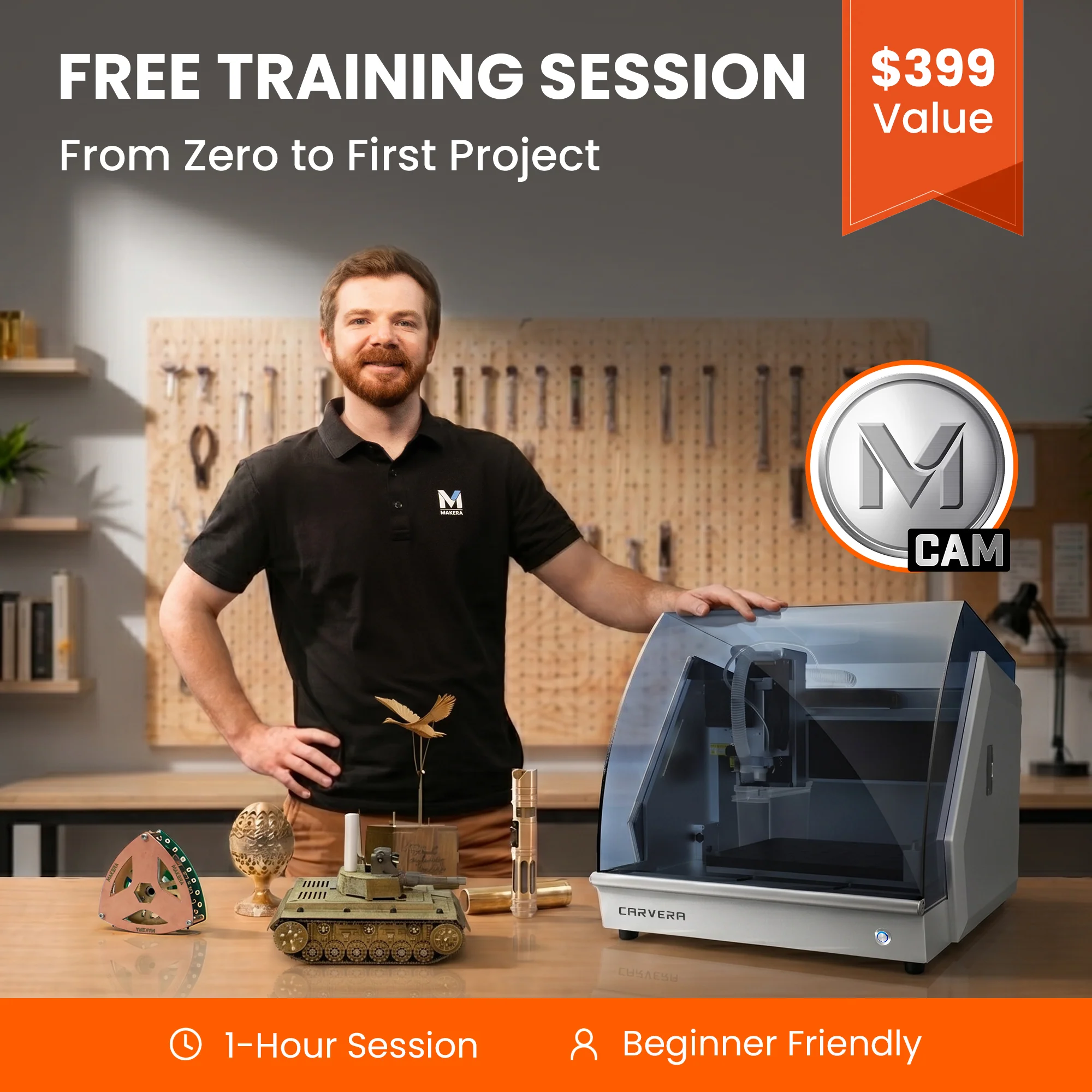
May Promotion - Personalized 1-on-1 Training Session for Beginners
May Promotion - Personalized 1-on-1 Training Session for Beginners
CNC StartSmart: Your First Carve, Guaranteed
Personalized 1-on-1 Live CNC Training for Beginners with Jason
Description
Struggling with CAM software or hesitant to power on your desktop CNC for the first time? You’re not alone – and that’s exactly why we created this live, one‑on‑one training.Our CNC StartSmart program connects you live with our most experienced professional instructor -- Jason, to guide you through the critical first hour of your CNC journey. He has guided hundreds of makers past the steep learning curve, from zero to confident first cuts. Now he’ll work with you, personally, in real time.
In just one hour, Jason will sit (virtually) right next to you to ensure your first project is a success and find greater confidence as you begin your CNC journey with Makera. No pre‑recorded videos, no generic tutorials. Just Jason, you, and your machine, live over Zoom.
TRAINING OBJECTIVES
1. Guide the user through successfully milling their first part (aluminum keychain)
2. Cover basic CAM functions for 2D milling operations (drill, pocket, contour)
3. Overview of basic connection and machine operation
4. Explain basic tools, stock, and key terminology
5. Discuss safety and safe practices
How It Works
1. Purchase Your Session
2. Book Your Slot: You will receive an automated email with a unique booking link to schedule your session at a time that suits you. Select your preferred training when booking.
3. Prepare: We will send you an "Unboxing & Setup" video guide. Follow this to have your machine unpackaged and powered on before the session begins.
4. Go Live: Connect via Zoom.
What’s Included
• Real-Time Troubleshooting: No more pausing videos; ask questions as you go.
• CAM Software Walkthrough: Learn the "why" behind the settings, not just the "how."
• Safety First: We ensure your feeds, speeds, and workholding are secure.
• Next-Step Roadmap: Receive a curated list of learning materials tailored to your specific interests.
Terms
Instruction Format: All training is delivered live and one-on-one via Zoom with our lead instructor, Jason. Each session is strictly 1 hour in duration.
Booking Integrity: Your scheduling link is unique and will expire after one use. This link is non-transferable; please do not share it.
Scope of Training: This is Foundational Level training. We focus on machine operation, software logic, and completing a successful first carve. Advanced or highly complex projects (e.g., 3D carving, multi-sided projects, 4th Axis Machining) are beyond the scope of this introductory session.
Required Preparation: To maximize your hour, you must have your CNC machine unpackaged, your computer connected, and all required software installed before the session starts. An unboxing video and software prep checklist will be provided via email.
Cancellation & Rescheduling:
Rescheduling: You may reschedule your session via Calendly up to 24 hours before your appointment.
No-Shows: Cancellations made less than 24 hours in advance, or no-shows, are non-refundable.
Completion Window: To ensure the information is fresh and relevant to your new hardware, the session must be booked and completed within 45 days of your CNC machine’s delivery.
Original: $399.00
-65%$399.00
$139.65Product Information
Product Information
Shipping & Returns
Shipping & Returns
Description
CNC StartSmart: Your First Carve, Guaranteed
Personalized 1-on-1 Live CNC Training for Beginners with Jason
Description
Struggling with CAM software or hesitant to power on your desktop CNC for the first time? You’re not alone – and that’s exactly why we created this live, one‑on‑one training.Our CNC StartSmart program connects you live with our most experienced professional instructor -- Jason, to guide you through the critical first hour of your CNC journey. He has guided hundreds of makers past the steep learning curve, from zero to confident first cuts. Now he’ll work with you, personally, in real time.
In just one hour, Jason will sit (virtually) right next to you to ensure your first project is a success and find greater confidence as you begin your CNC journey with Makera. No pre‑recorded videos, no generic tutorials. Just Jason, you, and your machine, live over Zoom.
TRAINING OBJECTIVES
1. Guide the user through successfully milling their first part (aluminum keychain)
2. Cover basic CAM functions for 2D milling operations (drill, pocket, contour)
3. Overview of basic connection and machine operation
4. Explain basic tools, stock, and key terminology
5. Discuss safety and safe practices
How It Works
1. Purchase Your Session
2. Book Your Slot: You will receive an automated email with a unique booking link to schedule your session at a time that suits you. Select your preferred training when booking.
3. Prepare: We will send you an "Unboxing & Setup" video guide. Follow this to have your machine unpackaged and powered on before the session begins.
4. Go Live: Connect via Zoom.
What’s Included
• Real-Time Troubleshooting: No more pausing videos; ask questions as you go.
• CAM Software Walkthrough: Learn the "why" behind the settings, not just the "how."
• Safety First: We ensure your feeds, speeds, and workholding are secure.
• Next-Step Roadmap: Receive a curated list of learning materials tailored to your specific interests.
Terms
Instruction Format: All training is delivered live and one-on-one via Zoom with our lead instructor, Jason. Each session is strictly 1 hour in duration.
Booking Integrity: Your scheduling link is unique and will expire after one use. This link is non-transferable; please do not share it.
Scope of Training: This is Foundational Level training. We focus on machine operation, software logic, and completing a successful first carve. Advanced or highly complex projects (e.g., 3D carving, multi-sided projects, 4th Axis Machining) are beyond the scope of this introductory session.
Required Preparation: To maximize your hour, you must have your CNC machine unpackaged, your computer connected, and all required software installed before the session starts. An unboxing video and software prep checklist will be provided via email.
Cancellation & Rescheduling:
Rescheduling: You may reschedule your session via Calendly up to 24 hours before your appointment.
No-Shows: Cancellations made less than 24 hours in advance, or no-shows, are non-refundable.
Completion Window: To ensure the information is fresh and relevant to your new hardware, the session must be booked and completed within 45 days of your CNC machine’s delivery.